Plot requirements for achieving a target power as a function of assumptions about two parameters
Source:R/gridplot.R
GridPlot.RdPlots how the required sample size (or any other parameter) to achieve a certain power (or other objective) depends on two furhter parameters.
Usage
GridPlot(
  x,
  slicer = NULL,
  y_par = NULL,
  x_par = NULL,
  l_par = NULL,
  example = NULL,
  find_lowest = TRUE,
  target_value = 0.9,
  target_at_least = TRUE,
  method = "step",
  summary_function = mean,
  col = NULL,
  example_text = TRUE,
  title = NULL,
  axes = TRUE,
  par_labels = NULL,
  add_legend = TRUE,
  xlim = NULL,
  ylim = NULL,
  smooth = FALSE,
  ...
)
Arguments
- x
An object of class "power_array" (from
powergrid).- slicer
If the parameter grid of
xhas more than 3 dimensions, a 3-dimensional slice must be cut out usingslicer, a list whose elements define at which values (the list element value) of which parameter (the list element name) the slice should be cut.- y_par
Which parameter is searched for the minimum (or maximum if find_lowest == FALSE) yielding the target value; and shown on the y-axis. If NULL,
y_paris set to the first,x_parto the second, andl_parto the third dimension name of 3-dimensional arrayx. If you want another than the first dimension asy_par, you need to seey_par,x_par, andl_parexplicitly.- x_par, l_par
Which parameter is varied on the x-axis, and between lines, respectively. If none of
y_par,x_parandl_parare given, the first, second, and third dimension of x are mapped to y_par, x_par, and l_par, respectively.- example
A list defining for which combination of levels of
l_parandx_paran example arrow should be drawn. List element names indicate the parameter, element value indicate the values at which the example is drawn.- find_lowest
Logical, indicating whether the example should be found that minimizes an assumption (e.g., minimal required n) to achieve the
target_valueor an example that maximizes this assumption (e.g., maximally allowed SD).- target_value
The target power (or any other value stored in x) that should be matched.
- target_at_least
Logical. Should
target_valuebe minimally achieved (e.g., power), or maximially allowed (e.g., estimation uncertainty).- method
The method to find the required parameter values, see
ExampleandFindTarget.- summary_function
If
xis an object of classpower_arraywhere attributesummarizedis FALSE (indicating individual iterations are stored in dimensioniter, the iterations dimension is aggregated bysummary_fun. Otherwise ignored.- col
A vector with the length of
l_pardefining the color(s) of the lines.- example_text
When an example is drawn, should the the required par value, and the line parameter value be printed alongside the arrow(s).
- title
Character string, if not
NULL, replaces default figure title. Replacesmainif specifiec by....- axes
Logical defining whether or not axes are drawn.
- par_labels
Named vector where elements names represent the parameters that are plotted, and the values set the desired labels.
- add_legend
Should the legend be automatically generated (
default = TRUE), set to FALSE and add afterwards for more flexibility.- xlim, ylim
See
?graphics::plot.- smooth
Logical. If TRUE, a 5th order polynomial is fitted though the points constituting each line for smoothing.
- ...
Further arguments to
par,plot,axisandlines. A few exceptions (e.g.y) are ignored with a warning.
Details
In the most typical use case, the y-axis shows the minimal sample
size required to achieve a power of at least target_value,
assuming the value of a parameter on the x-axis, and the value of another
parameter represented by each line.
The use of this function is, however, not limited to finding a minimum n to
achieve at least a certain power. See help of Example to understand the
use of target_at_least and fin_min.
If the input to argument x (class power_array) contains iterations that
are not summarized, it will be summarized by summary_function with default
mean.
Note that a line may stop in a corner of the plotting region, not reaching
the margin. This is often correct behavior, when the target_value
level is not reached anywhere in that corner of the parameter range. In case
n is on the y-axis, this may easily be solved by adding larger sample sizes
to the grid (consider Update), and then adjusting the y-limit to only
include the values of interest.
Graphical parameters
Graphical parameters that are allowed as input to the functions
graphics::plot, graphics::lines, graphics::image and graphics::axis,
including all parametes available in par() are passed on to these functions
internally. Not passed through are "x", "y", "z", "type", "at", and
parameters that are explict arguments to GridPlot.
See also
PowerGrid, AddExample,
Example, PowerPlot for similar plotting of
just 2 parameters, at multiple power (target value) levels.
Examples
sse_pars = list(
n = seq(from = 2, to = 100, by = 2),
delta = seq(from = 0.1, to = 1.5, by = 0.05), ## effect size
sd = seq(.1, .9, .1)) ## Standard deviation
PowFun = function(n, delta, sd){
ptt = power.t.test(n = n/2, delta = delta, sd = sd,
sig.level = 0.05)
return(ptt$power)
}
power_array = PowerGrid(pars = sse_pars, fun = PowFun, n_iter = NA)
GridPlot(power_array, target_value = .8)
#> Warning: At some combinations of `x_par` and `l_par`, no `y_par` was found that yielded the required target value, which may result in lines ending abruptly. In most common use cases, you may want to increasing the range of n.
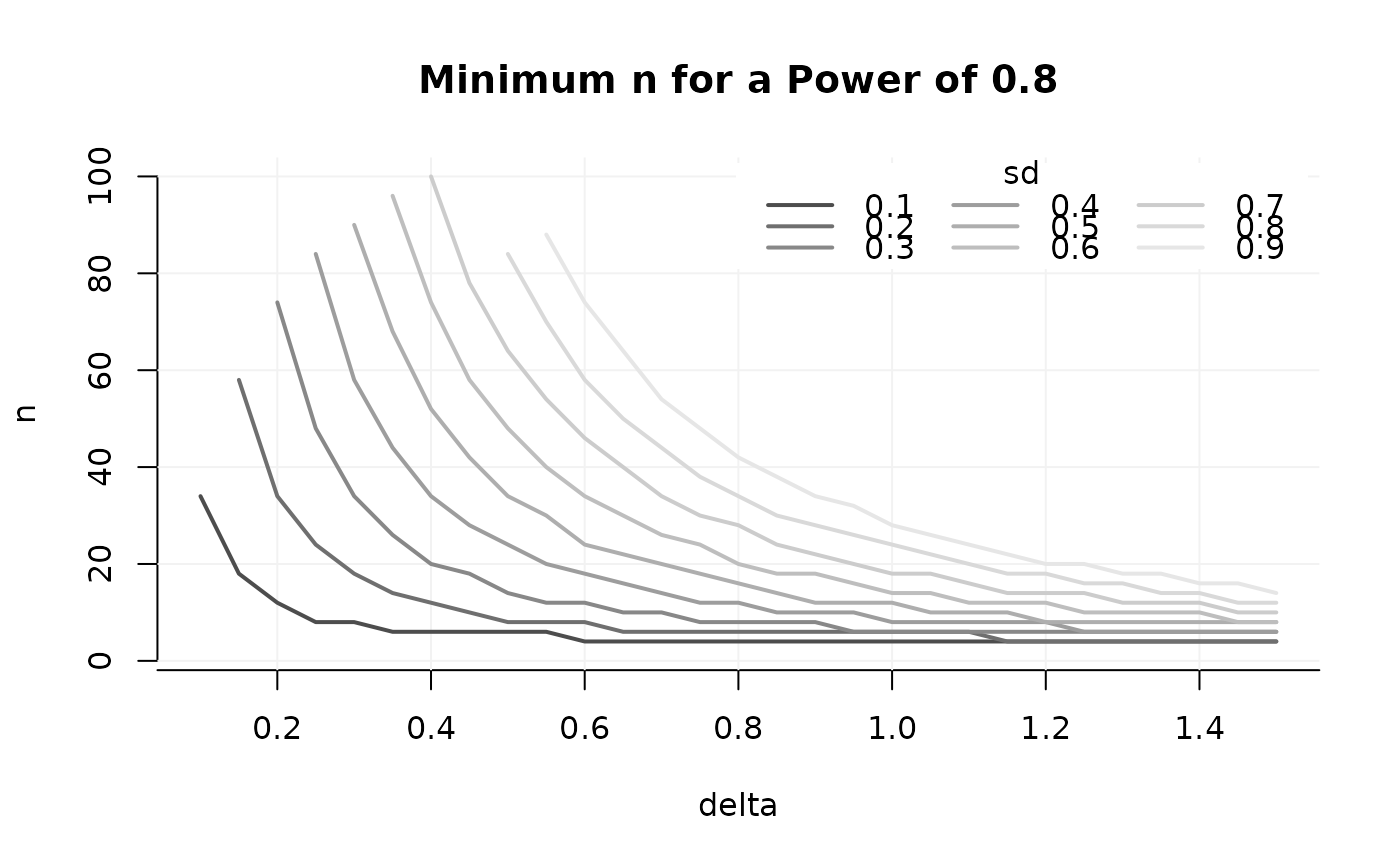 ## If that's too many lines, cut out a desired number of slices
GridPlot(power_array,
slicer = list(sd = seq(.1, .9, .2)),
target_value = .8)
#> Warning: At some combinations of `x_par` and `l_par`, no `y_par` was found that yielded the required target value, which may result in lines ending abruptly. In most common use cases, you may want to increasing the range of n.
## If that's too many lines, cut out a desired number of slices
GridPlot(power_array,
slicer = list(sd = seq(.1, .9, .2)),
target_value = .8)
#> Warning: At some combinations of `x_par` and `l_par`, no `y_par` was found that yielded the required target value, which may result in lines ending abruptly. In most common use cases, you may want to increasing the range of n.
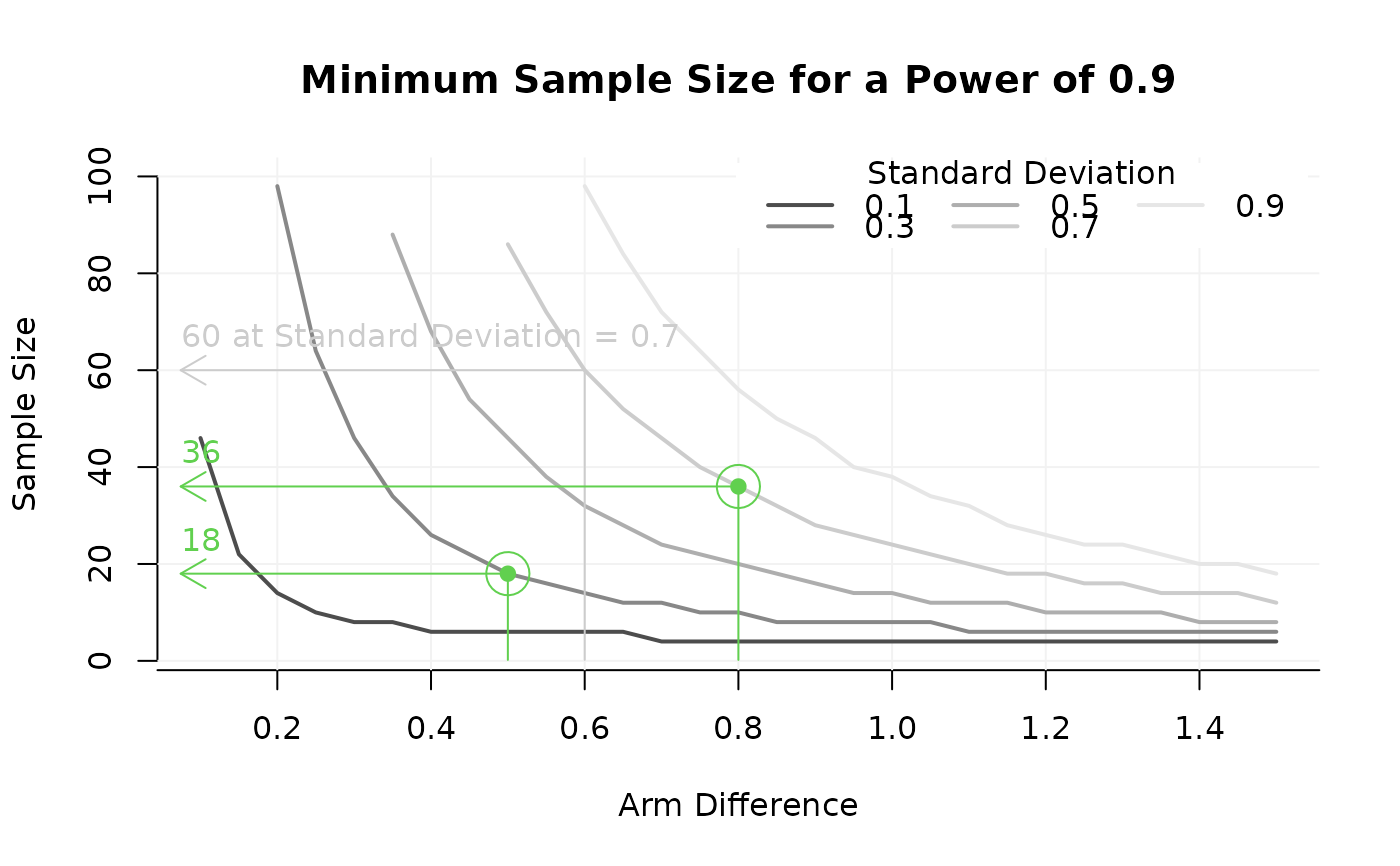
 ## adjust labels, add example
GridPlot(power_array, target_value = .9,
slicer = list(sd = seq(.1, .9, .2)),
y_par = 'n',
x_par = 'delta',
l_par = 'sd',
par_labels = c('n' = 'Sample Size',
'delta' = 'Arm Difference',
'sd' = 'Standard Deviation'),
example = list(sd = .7, delta = .6))
#> Warning: At some combinations of `x_par` and `l_par`, no `y_par` was found that yielded the required target value, which may result in lines ending abruptly. In most common use cases, you may want to increasing the range of n.
## add additional examples useing AddExample. Note that these do not contain
## info about the line they refer to.
AddExample(power_array,
target_value = .9,
example = list(delta = c(.5, .8), sd = c(.3, .7)),
col = 3
)
## adjust labels, add example
GridPlot(power_array, target_value = .9,
slicer = list(sd = seq(.1, .9, .2)),
y_par = 'n',
x_par = 'delta',
l_par = 'sd',
par_labels = c('n' = 'Sample Size',
'delta' = 'Arm Difference',
'sd' = 'Standard Deviation'),
example = list(sd = .7, delta = .6))
#> Warning: At some combinations of `x_par` and `l_par`, no `y_par` was found that yielded the required target value, which may result in lines ending abruptly. In most common use cases, you may want to increasing the range of n.
## add additional examples useing AddExample. Note that these do not contain
## info about the line they refer to.
AddExample(power_array,
target_value = .9,
example = list(delta = c(.5, .8), sd = c(.3, .7)),
col = 3
)
 ## Above, GridPlot used the default: The first dimension is what you search
## (often n), the 2nd and 3rd define the grid of parameters at which the
#search # is done. Setting this explicitly, with x, y, and l-par, it looks
#like:
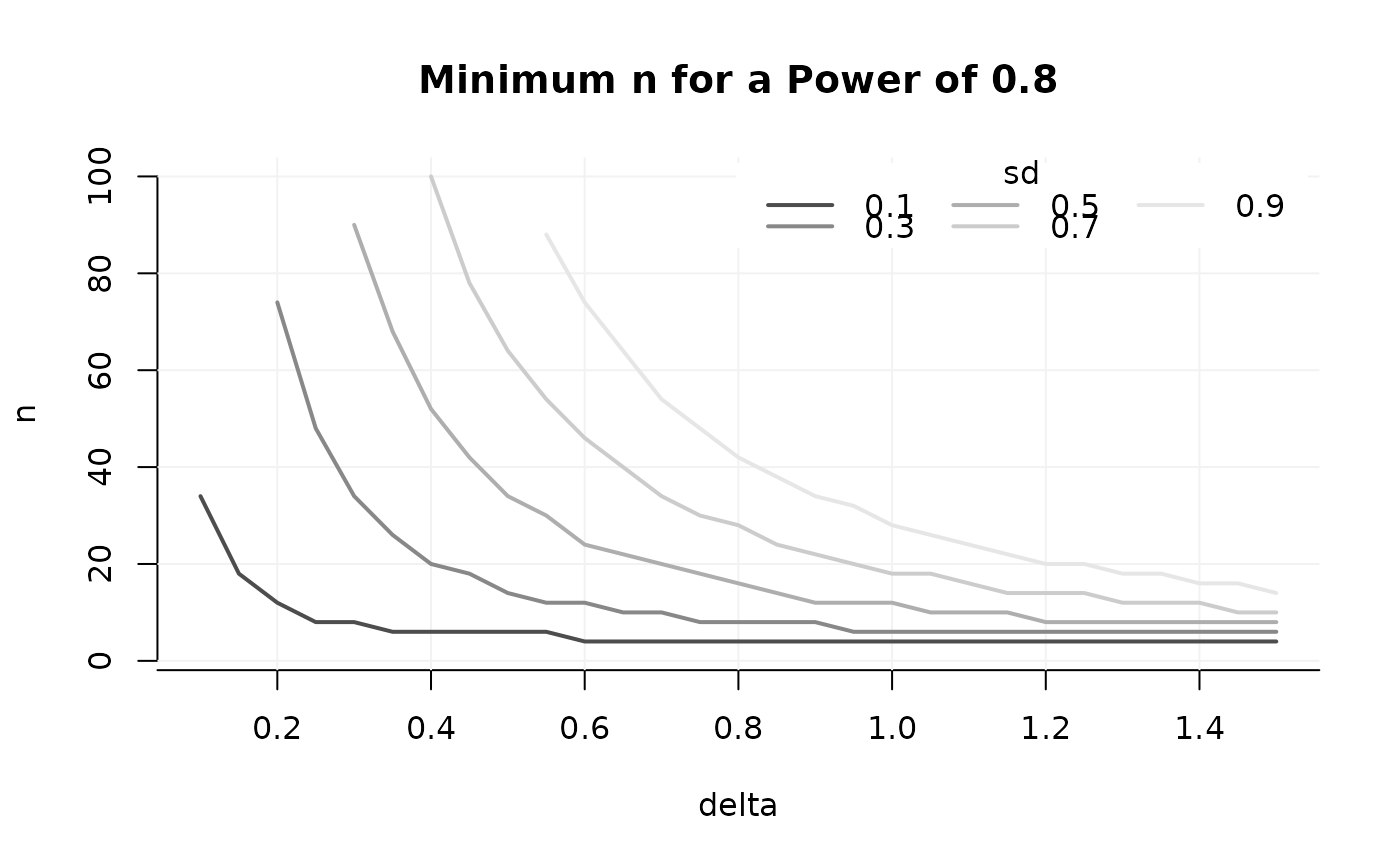
GridPlot(power_array, target_value = .8,
slicer = list(sd = seq(.1, .9, .2)),
y_par = 'n', # search the smallest n where target value is achieved
x_par = 'delta',
l_par = 'sd')
#> Warning: At some combinations of `x_par` and `l_par`, no `y_par` was found that yielded the required target value, which may result in lines ending abruptly. In most common use cases, you may want to increasing the range of n.
## Above, GridPlot used the default: The first dimension is what you search
## (often n), the 2nd and 3rd define the grid of parameters at which the
#search # is done. Setting this explicitly, with x, y, and l-par, it looks
#like:
GridPlot(power_array, target_value = .8,
slicer = list(sd = seq(.1, .9, .2)),
y_par = 'n', # search the smallest n where target value is achieved
x_par = 'delta',
l_par = 'sd')
#> Warning: At some combinations of `x_par` and `l_par`, no `y_par` was found that yielded the required target value, which may result in lines ending abruptly. In most common use cases, you may want to increasing the range of n.
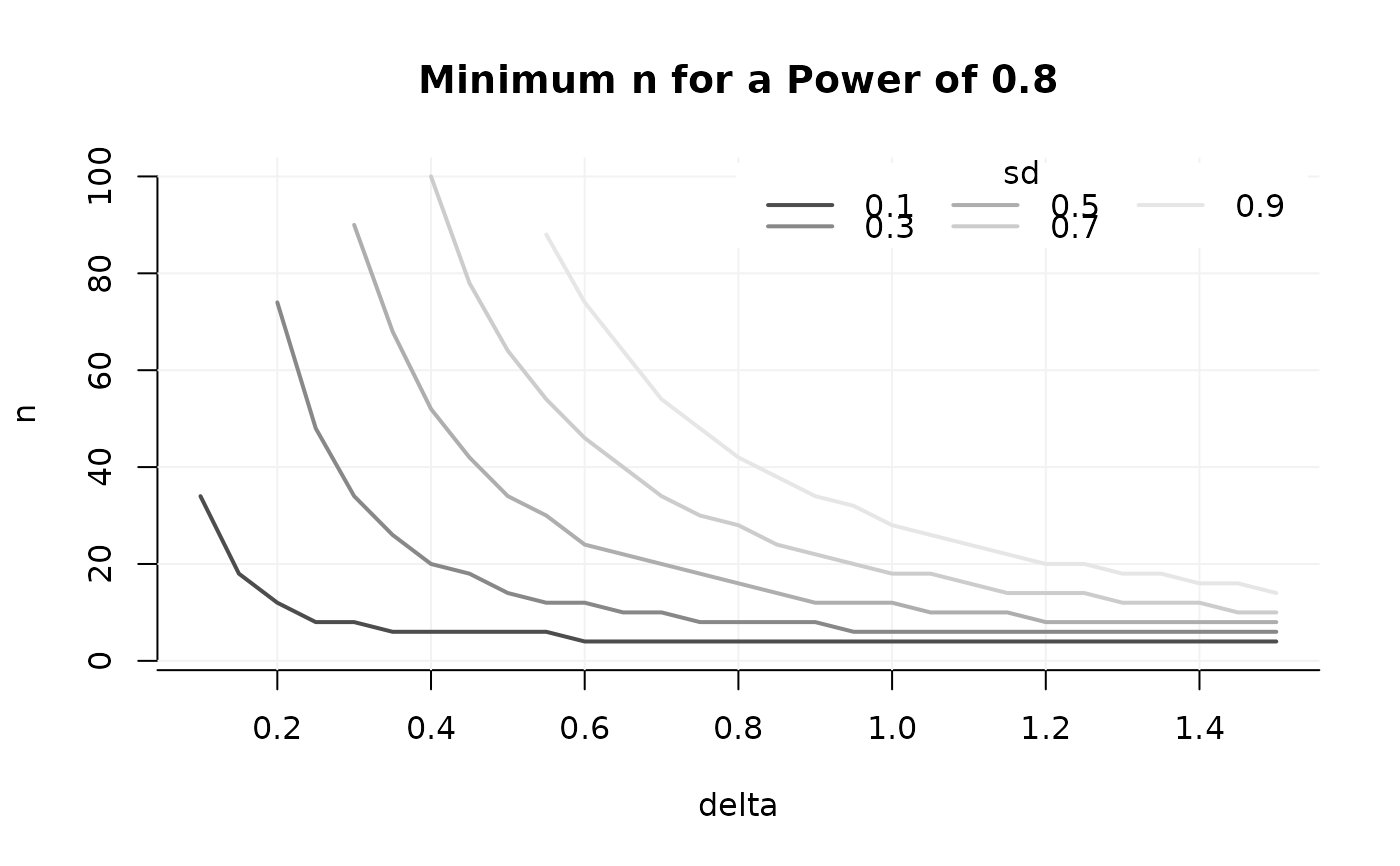 ## You may also want to have different parameters on lines and axes:
GridPlot(power_array, target_value = .8,
y_par = 'delta', # search the smallest delta where target value is achieved
x_par = 'sd',
l_par = 'n')
#> Warning: At some combinations of `x_par` and `l_par`, no `y_par` was found that yielded the required target value, which may result in lines ending abruptly. In most common use cases, you may want to increasing the range of n.
## You may also want to have different parameters on lines and axes:
GridPlot(power_array, target_value = .8,
y_par = 'delta', # search the smallest delta where target value is achieved
x_par = 'sd',
l_par = 'n')
#> Warning: At some combinations of `x_par` and `l_par`, no `y_par` was found that yielded the required target value, which may result in lines ending abruptly. In most common use cases, you may want to increasing the range of n.
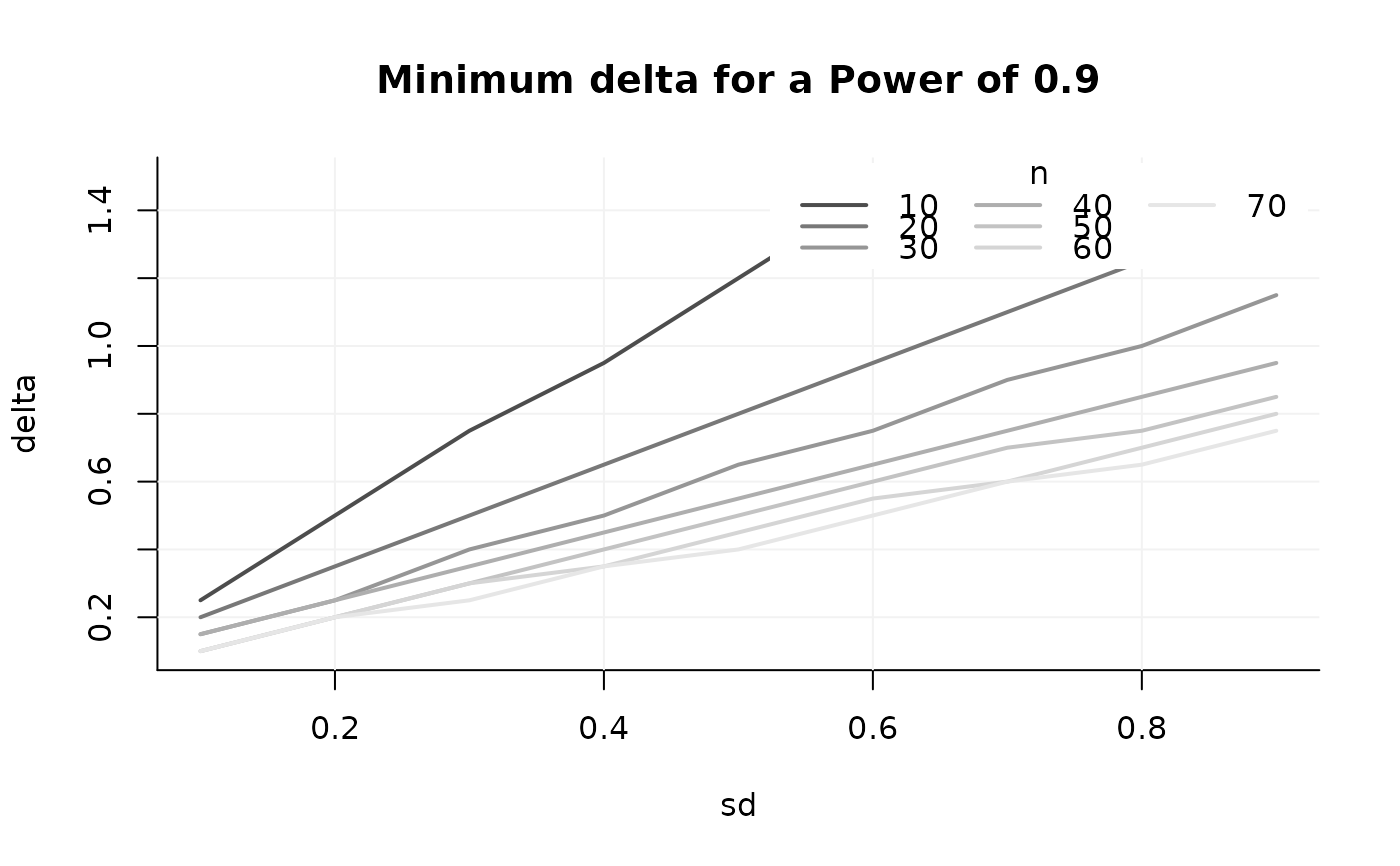
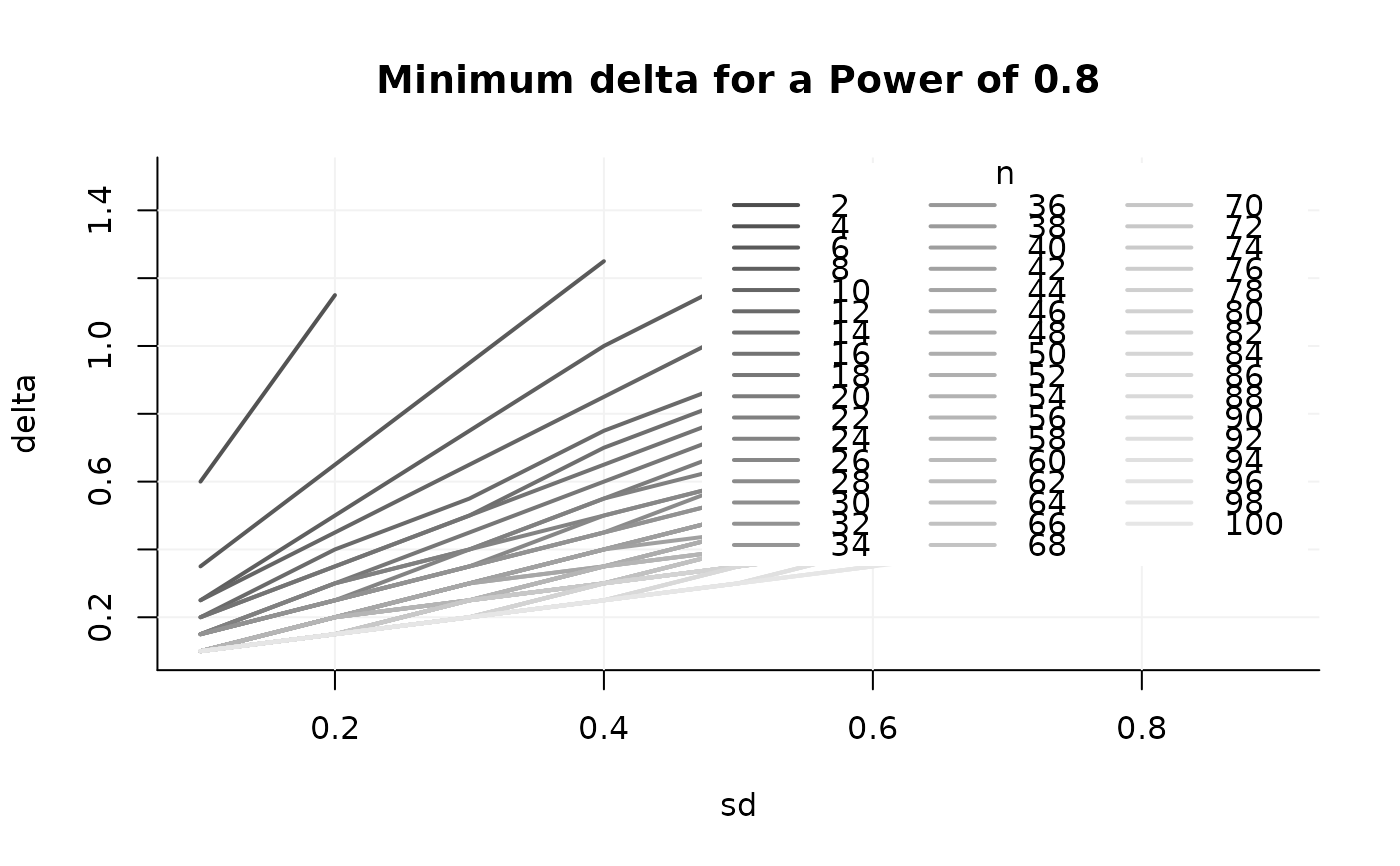 ## Too many lines! Take some slices again:
GridPlot(power_array, target_value = .9,
slicer = list(n = c(seq(10, 70, 10))),
y_par = 'delta',
x_par = 'sd',
l_par = 'n', method = 'step')
#> Warning: At some combinations of `x_par` and `l_par`, no `y_par` was found that yielded the required target value, which may result in lines ending abruptly. In most common use cases, you may want to increasing the range of n.
## Too many lines! Take some slices again:
GridPlot(power_array, target_value = .9,
slicer = list(n = c(seq(10, 70, 10))),
y_par = 'delta',
x_par = 'sd',
l_par = 'n', method = 'step')
#> Warning: At some combinations of `x_par` and `l_par`, no `y_par` was found that yielded the required target value, which may result in lines ending abruptly. In most common use cases, you may want to increasing the range of n.