secuTrial_recipes
Step-by-step recipes for tasks in secuTrial
View the Project on GitHub SwissClinicalTrialOrganisation/secuTrial_recipes
Creating user accounts, roles and centers
Before creating accounts it is advisable to create centers and user roles. All this can be performed in the AdminTool.
Centers
- Click “Centres” in the navigation bar on the top of the page
- “New centre”
- Set adequate Prefix
- Further specifications are self explanatory
Roles
- Click “Roles” in the navigation bar on the top of the page
- “New participant role”
-
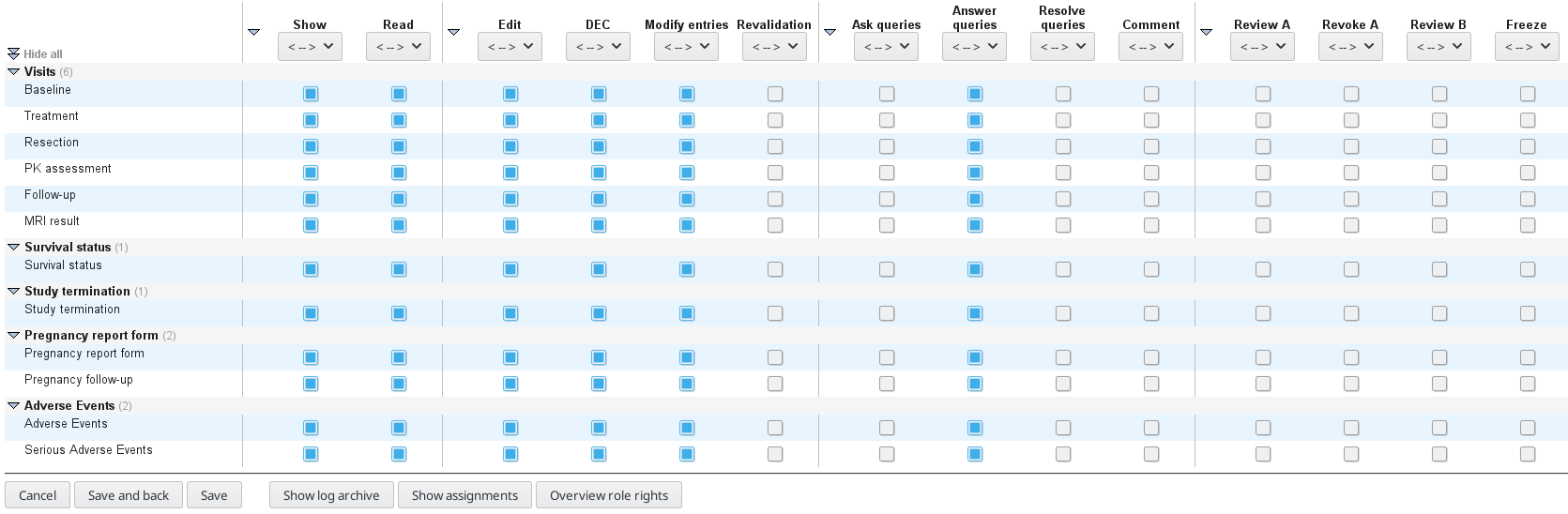
The setup for an investigator role can look like the following screenshot
(a further example for monitors is available in the fig directory)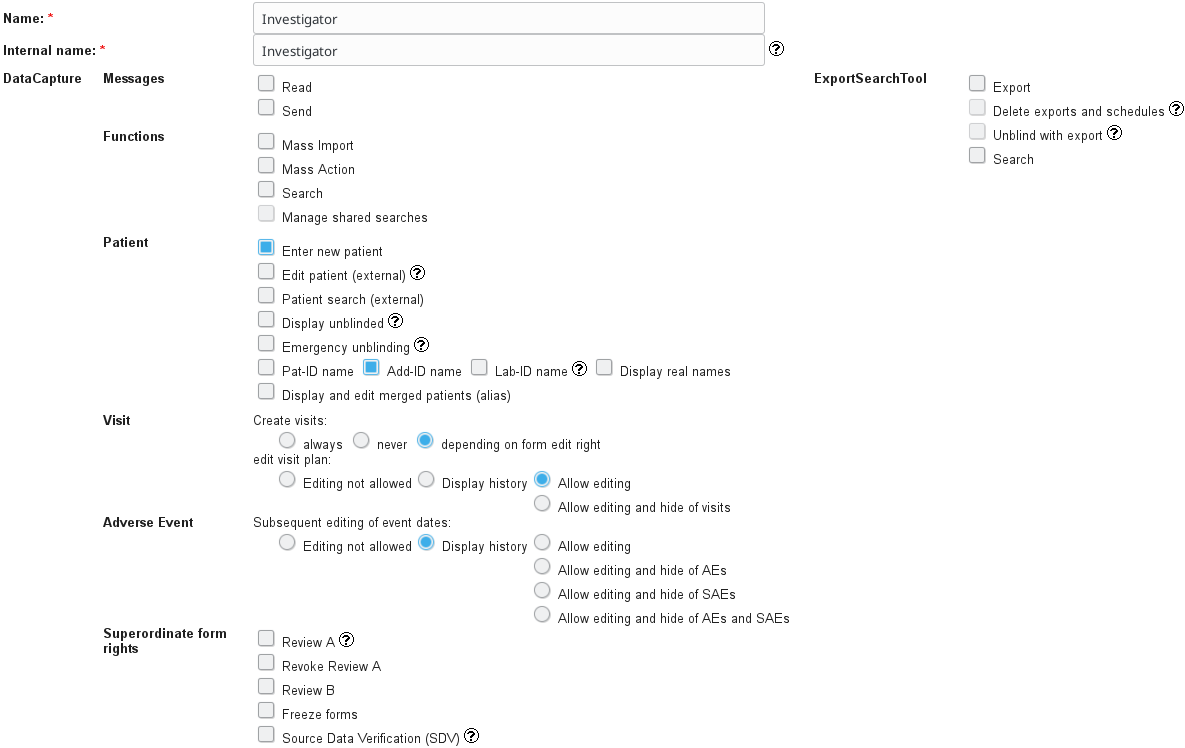
Participants
- Click “Participants” in the navigation bar on the top of the page
- “New participant”
- Fill in the relevant information (at least “Last name”, “User-ID”, “New password”, “Email”)
(Note that the Password will have to be changed on first login) - Optionally specify “Preferred report” in “Preferences”
- At the bottom of the page in “Centres” -> “Add project or centre” and specify according to who you are creating to login for. Note: Do not forget to click “Add”
- Click “Send credentials via E-Mail” if you would like secuTrial to handle the user notification
This recipe was tested under secuTrial version 5.5.1.10